New Features & Improvements
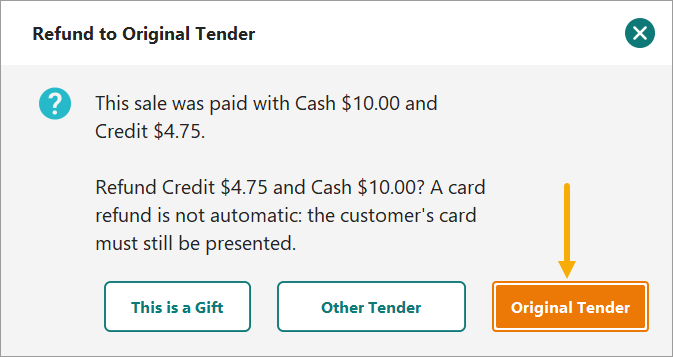
Return from Receipt: Refund to Original Tender prompt
When processing a Return from Receipt, the clerk will see the original tender(s) and amounts from the sale (including each tender on split-tender sales) and can choose to refund to the original tender. Amounts are capped at what was paid on each tender. Card refunds still require the card at the device.
Return from Receipt: Offer Gift Returns
Action Required
Company Setting: Offer Gift Returns on Return from Receipt
Default: True
When enabled, the Refund to Original Tender prompt (above) includes a toggle: "This is a Gift", which initiates a customer search and adds credit to the transaction screen. The credit can be used for an exchange within the transaction, or saved to the customer account.
If your stores do not use Customer Credit, this can be disabled.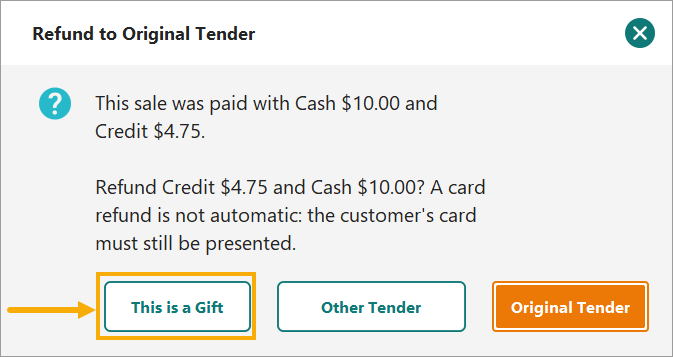
Coupons: Option to block inactive coupon overrides
Action Required
Company Setting: Block Inactive Coupon Override
Default: False
When the setting is on, scanning a coupon that is not active for the store shows an OK-only message, and the clerk can no longer choose "Apply anyway". Works on New POS and legacy POS. With the setting on, a coupon is also refused when the promotion check times out or errors. A single-use coupon is refused at a store its parent promotion excludes. Used-condition and Marketplace pickup scans skip the check and still ask. Self-checkout is unchanged, and offline registers are not challenged.
The setting also applies to a single-use coupon. If the store where the single-use coupon is being used is not in the list of active stores that are active for that coupon type, the coupon will not be accepted.
Order List: Chain Quantity on Hand column
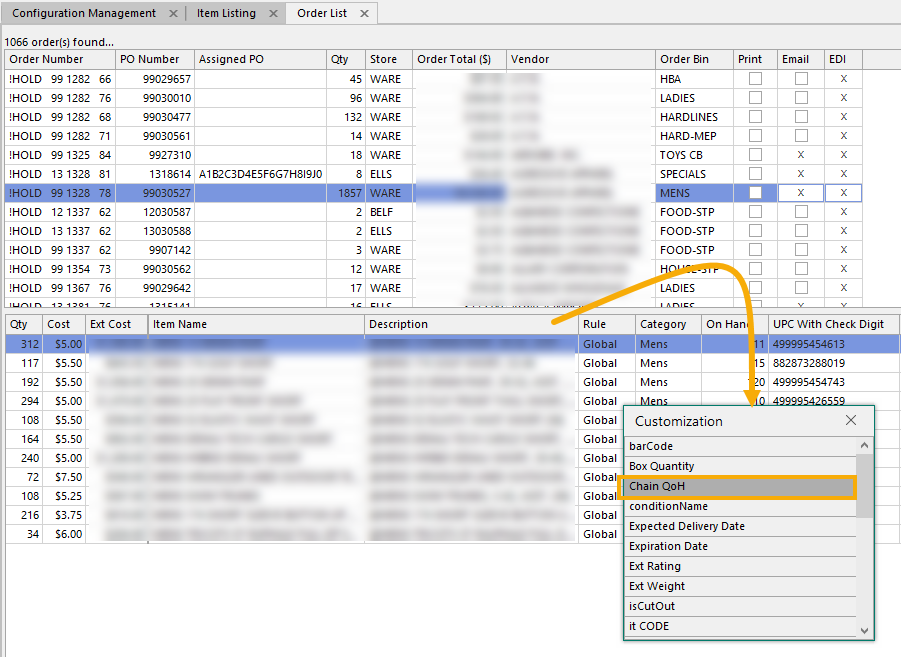 A new "Chain QoH" column is available in Column Chooser in ttotal on-hand quantity across all stores, so buyers can see whether stock could be transferred before reordering. It is in the column chooser and hidden by default.
Item List: Sort item list by Size
Action Required
Company Setting: Sort Item List Sizes by Weighting
Default: False
When sorting the Item Description in FieldStack Office Item List, each product's sizes stay together (grouped by product name and Color) and follow their Size attribute weighting (XS, S, M, L, XL) instead of alphabetical order.
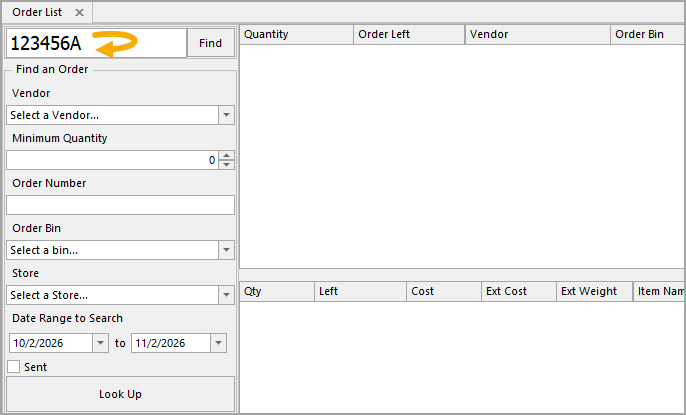
Search Orders: Enter key on PO Number
Pressing Enter in the PO Number field on the Search Orders tab now runs the search.
Bug Fixes
Payments: Manually keyed card reversals
Reversals and refunds on manually entered (card-not-present) cards were at some times recorded in FieldStack but not voided or refunded at CardPointe. Known issues were addressed. This guards against future occurances.
Pre-owned item label price kept when a customer is added
Adding a customer to a transaction could reset a pre-owned condition item from its label price to the new-condition shelf price.
Gift card amount shown in customer display subtotal
Gift card purchases now count toward the Subtotal and Total on the newer customer display.
Marketplace Scan Mode no longer hangs
Scanning a $MD- or $ML- package code that couldn't be found left the "Opening reprint..." overlay up until FieldStack was restarted. A message now explains the problem and the screen stays usable.
Item images appear on the webstore right away
Images saved from Item List > Details tab previously took 30–60 minutes to show on the webstore and Quick Access Menu. They now appear right away.
Item List History respects the "To" date
The History tab no longer returns transactions from the day after the selected "To" date.
Vendor Management unsaved-changes prompt
Answering No to the unsaved-changes warning now discards the edits and loads the selected vendor. Cancel keeps you on the current vendor, and a failed save on Yes no longer moves you off it.
FSM Mobile Scanner Login shows Print As right away
On New POS Scanner Login, the device label now shows the Print As line right after a device is chosen, without closing and reopening the screen. This was a display issue only. The selection was always saved.
Was this article helpful?
That’s Great!
Thank you for your feedback
Sorry! We couldn't be helpful
Thank you for your feedback
Feedback sent
We appreciate your effort and will try to fix the article