When a customer returns an item, the register can now ask the clerk to pick a return reason from a list your store sets up. The reason is saved with the returned item, so you can see why items come back without a separate step. It is available in FieldStack version 12.2026.1023 and later, in both the New POS and the legacy POS.
Turn it on
The dropdown appears only at stores that have a reason list set up. It is set per store, so repeat these steps for each store that should use it.
- Go to Options > Configuration Management.
- Select the store.
- Open Location Settings > POS.
- Find Return Reason List and enter your reasons separated by commas, for example:
Damaged,Would not eat,Expired,Changed mind,Wrong item - Click Save.
- Log out of FieldStack and log back in on each register so the list loads.
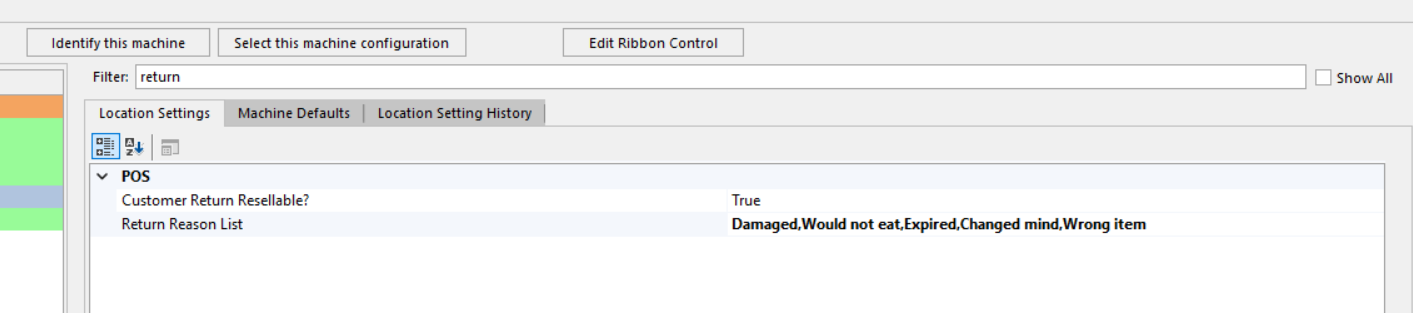
To turn the dropdown off, clear the Return Reason List and log out and back in.
Process a return
- Scan or look up the item being returned.
- Click Qty, choose Refund, and click OK.
- Answer Is the item resellable?
- Yes: the item goes back into inventory.
- No: the item is sent out of inventory automatically, as it is today.
- The Return Reason window opens. Pick the reason and click OK.
- Finish the sale and tender the refund as usual.
Click Refund on the Change Quantity panel: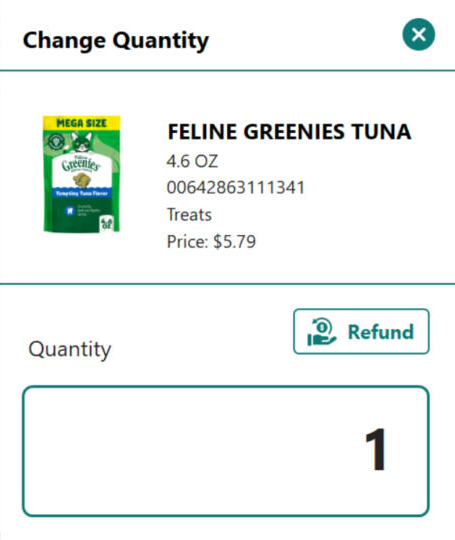
Answer whether the item can be resold: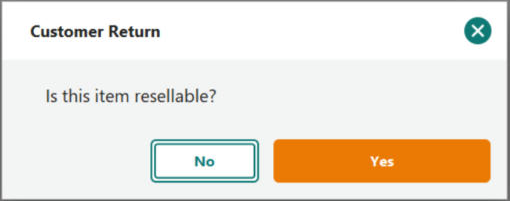
Pick the reason from your store's list: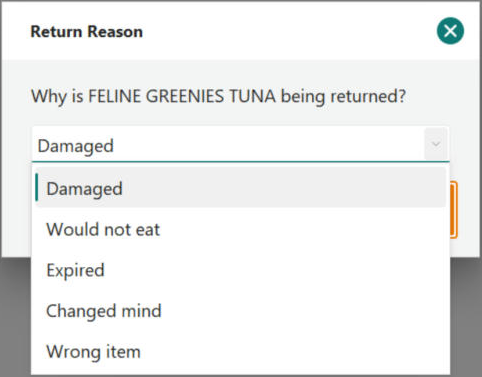
The reason is asked for whether the item is resellable or not, so every return can carry one.
Return from Receipt
When you return items from a past receipt (customer History > select the sale > Return from Receipt), the Return Reason window opens once for each line you add to the return. Each item can have its own reason.
- Select the items to return and set Resellable for each one.
- Click Add Return to Sale.
- Pick a reason for each line as the window appears.
- Tender the refund as usual.
Good to know
- Skipping is allowed. Pressing Esc closes the window without a reason. The return still goes through.
- Keep reasons short. Each reason is saved up to 30 characters.
- Some returns are not asked. Items that already carry a tracking code, and items linked to a web order, keep their existing reference and do not show the window.
- Non-resellable items are still removed from inventory automatically. That removal is always recorded as a Customer Return; the reason you pick is saved on the returned item itself.
Was this article helpful?
That’s Great!
Thank you for your feedback
Sorry! We couldn't be helpful
Thank you for your feedback
Feedback sent
We appreciate your effort and will try to fix the article