Version 12.2026.0611
Improvement: Line item count on Receive and Pick in Warehouse and Stores
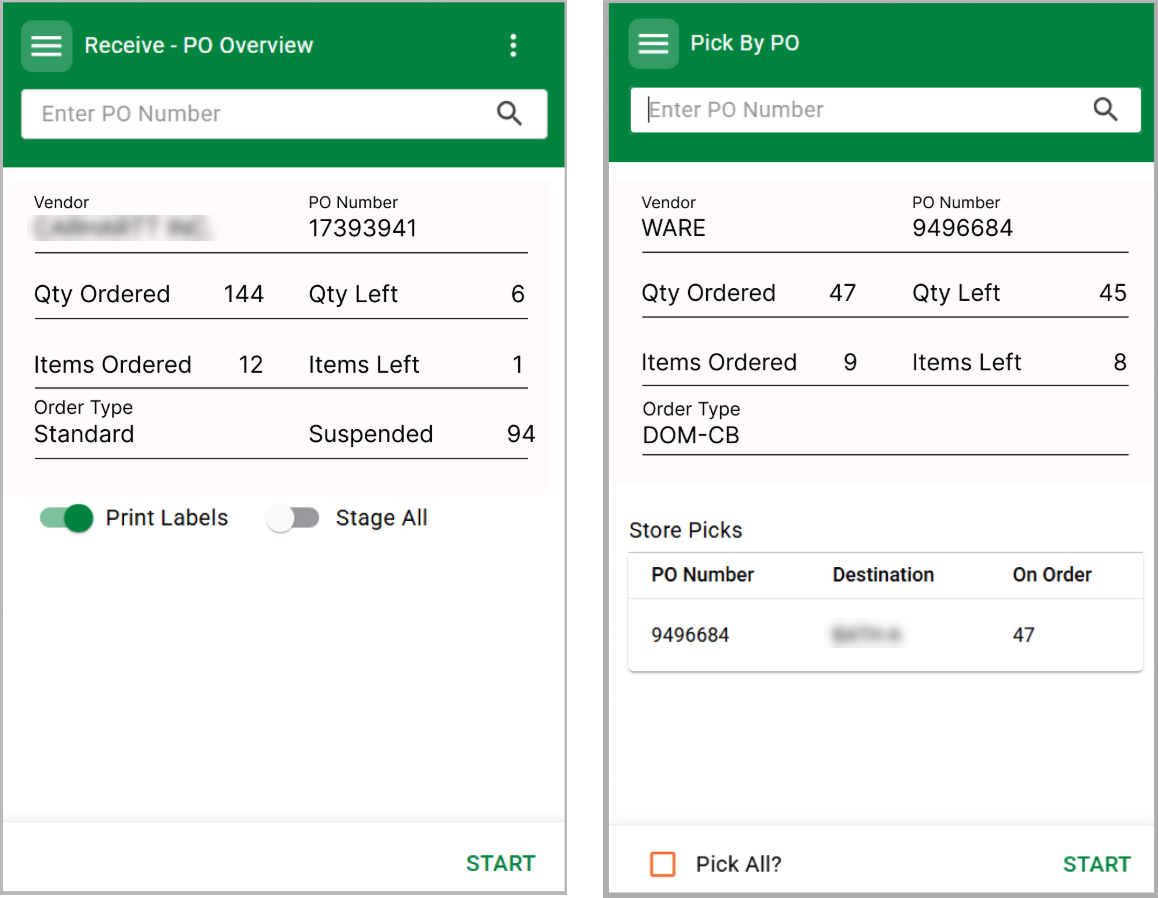
Confirmation-Free Picking
Action Required
Location Setting: Require Confirm after item pick in Pick Mode?
Default = True
If the setting is disabled, the confirmation on each item process page will be excluded allowing a user to pick without any additional clicks.
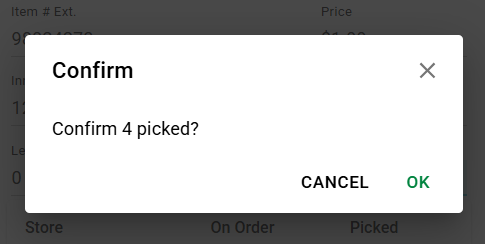
None Button Confirmation
Action Required
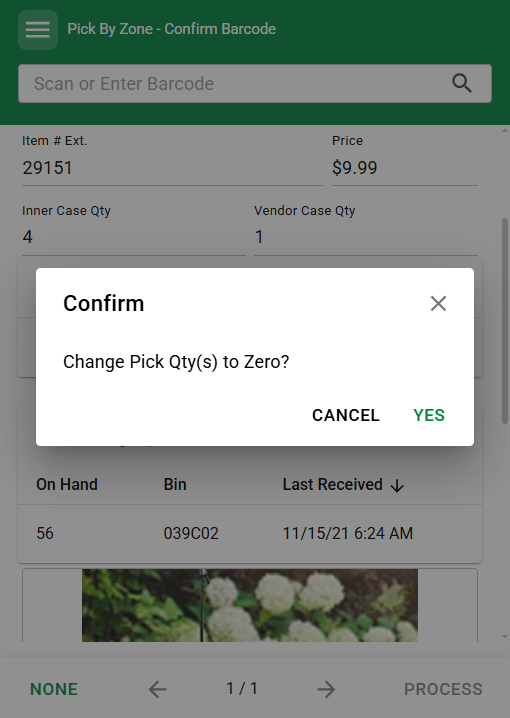
Location Setting: None button confirmation to change quantities to zero?
Default = False
Some users have reported accidentally tapping the None button during picking which leads to a loss in pick quantities on screen. A new Location Setting will show a Confirmation dialog to lessen these occurrences.
Bug Fixes:
- Fixed an issue that allowed a user to pick more than were asked for on Marketplace Pick Mode
- Fixed an issue where a user could receive a nine-digit qty when barcodes were scanned to Qty field on some hardware devices
- If total Pick qty setting was in place to show that at the top of Pick Mode, Bin + UPC + Qty to Pick line could be crowded and the UPC would be truncated. If there is not enough space for all three values, the overall Pick Qty will go to next line.
- Receive mode: Suspended scans would sometimes not be reflected in the item scan list even though the Start Page would show a Suspended item count.
Version 12.2026.0512Cycle Count
Freeform vs Custom
On the Cycle Count interface in Fieldstack Mobile, after creating a new Freeform Cycle Count, any item can be scanned and counted immediately without building a list first. This allows for partial Inventories to be done by section, product type, or end cap without creating a starting list. This system would not consider uncounted items that should be in a list, but works well for items that are physically present.
On the desktop interface, Custom cycle counts can be created and scheduled, but will be treated separately from Freeform Cycle Counts.
View UPC list after Scan Validation
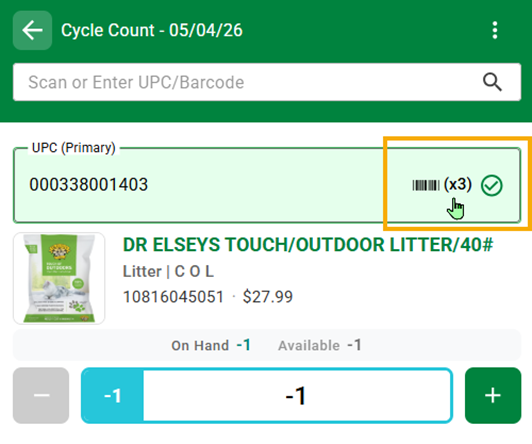
Previously, after an item was scanned, the user would lose the ability to view the UPC list associated with the item. After scan, tapping anywhere in the UPC validation field will open the UPC list.
Complete
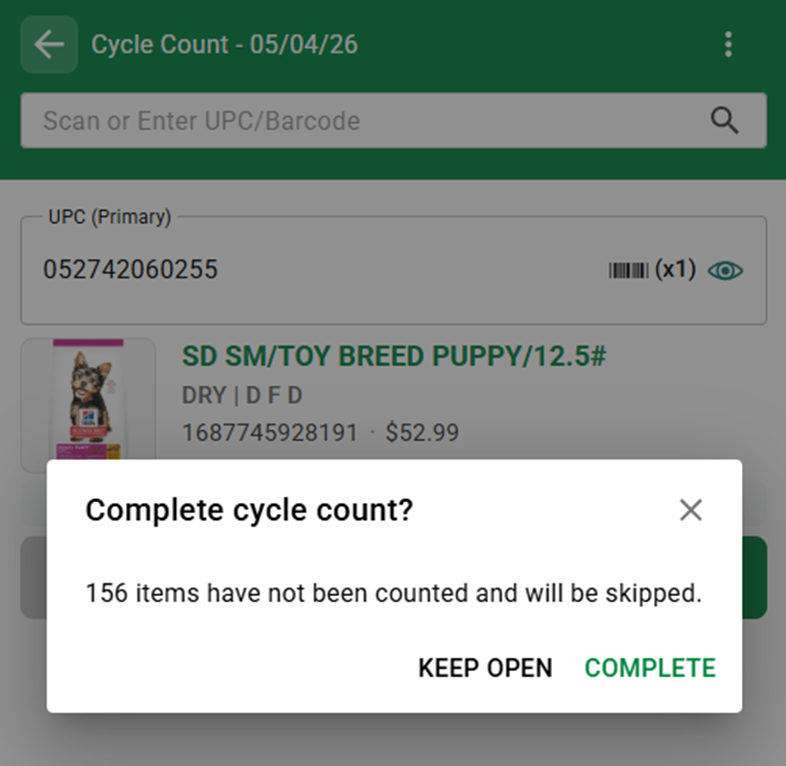
Previously a Cycle Count would be completed after the last item was counted even if other items had been skipped. Cycle Counts will remain open until a user taps the overflow menu and selects Complete Cycle Count or taps the back arrow in upper left to exit that mode.
This will help avoid closing a list early.
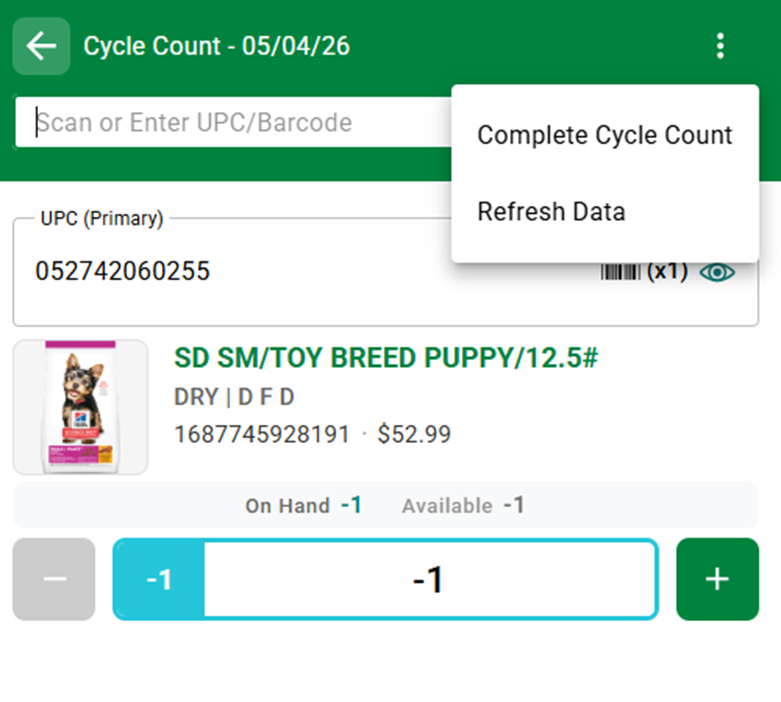
Exiting the Cycle Count using the menu/back arrow will also allow a user to Close the Cycle Count or keep it open.
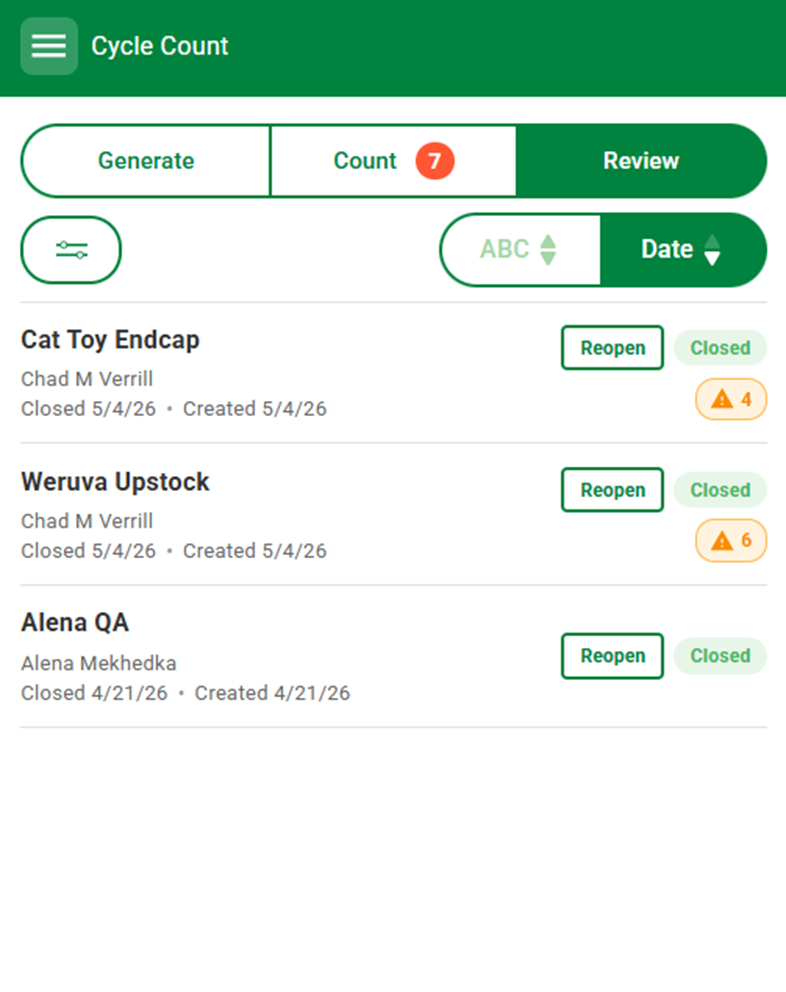
Reopen Function
Within the Review tab, Completed Cycle Counts can be Reopened for Recount or review. Previously the list was read only and the items would have to be counted in Freeform mode or a new Cycle Count.
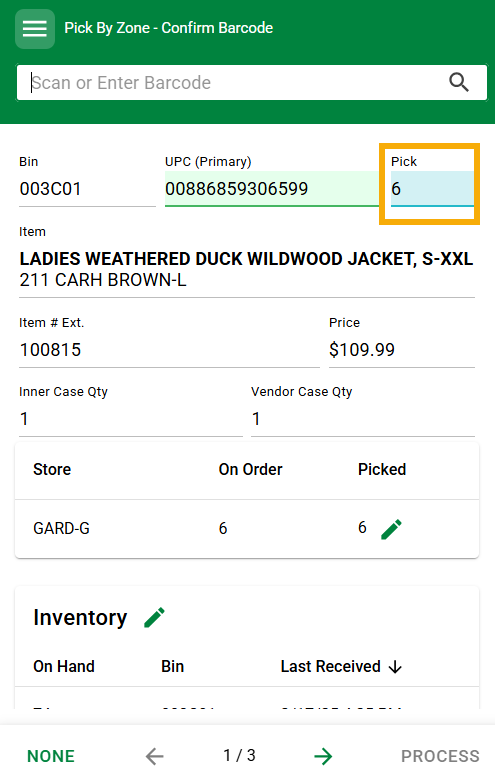
Pick Mode: A new company setting has been put in place which moves the pick qty (in stores) and total pick quantity (in warehouses) to be displayed at the top of the screen for easier overall picking.
Action Required If you would like this enabled, contact your account manager.
Was this article helpful?
That’s Great!
Thank you for your feedback
Sorry! We couldn't be helpful
Thank you for your feedback
Feedback sent
We appreciate your effort and will try to fix the article