New Features
Pick using Priority (Select)
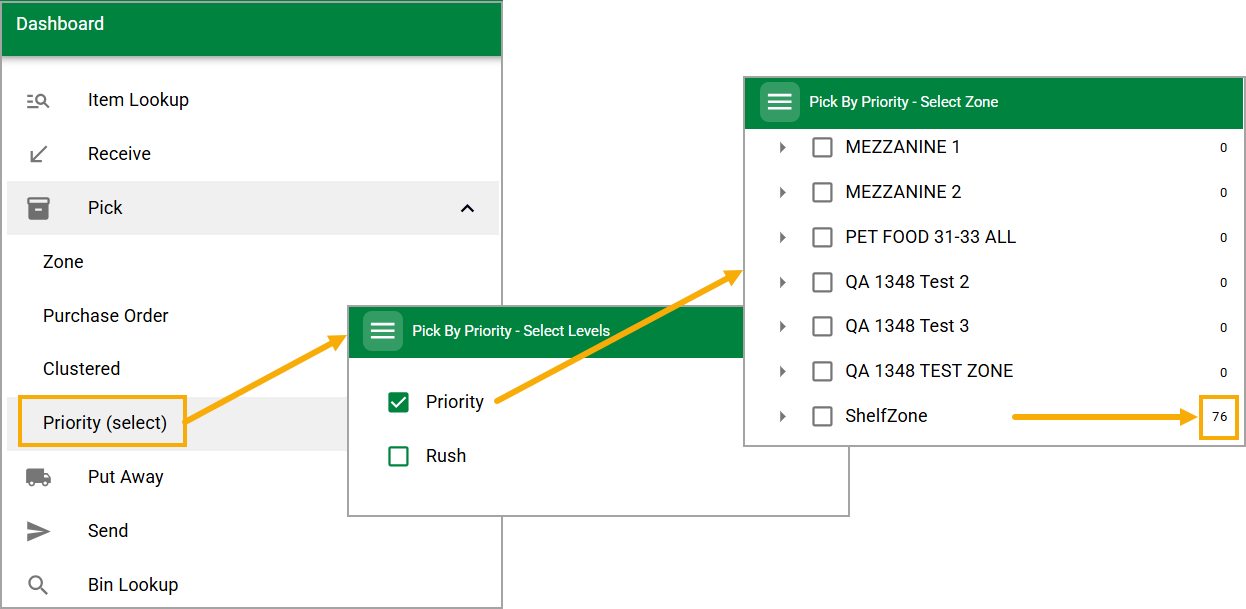
Warehouse pickers can choose one or more priority levels (for example "Priority" or "Rush") and see only the quantities per zone that apply to those picks. "FSM can print by Priority" is the setting that enables it. Client Success can help you set up your Priority level names and apply those levels to specified Purchase Order bin types. For example, you could choose to have a purchase order bin type called Priority and give it a level of 1, or you could choose to have separate bin types called Priority Accessories, Priority Food, and Priority Toys - giving all of them the same level would combine them into the same selection, giving them separate priority levels would split them apart like the Priority and Rush examples in the screenshot above.
Create Transfer: Print Purchase Order Label
Action Required
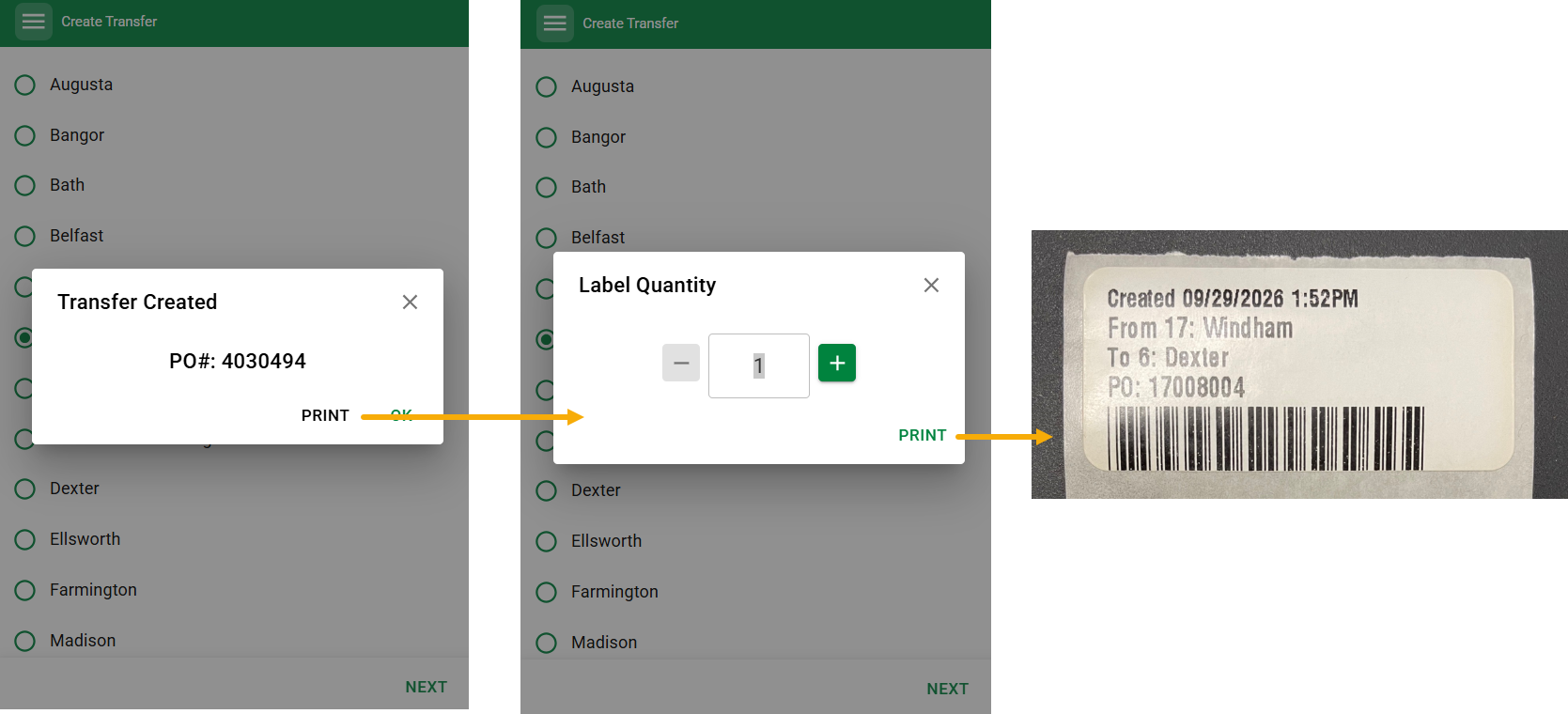
Machine Setting: Print Store Transfer Purchase Order Label
Default = False
When enabled, this setting allows a user in a store to Print 1" x 2" label(s) upon completion of a transfer using Send > Create Transfer. The labels can be affixed to shipping boxes/totes to help outgoing handling and allow the receiving location to Stage All after scanning the barcode on the label.
Improvements
Print Special Orders Only in Receive: When receiving in stores, you can print only special order labels, all labels, or none. A location setting controls which option is selected by default. Turning both options off no longer prints a stray shelf label.
Fuller item details in Cycle Count: For department-store clients, the full item description now shows without being cut off, with the extended name beneath it, making items with intricate details easier to identify.
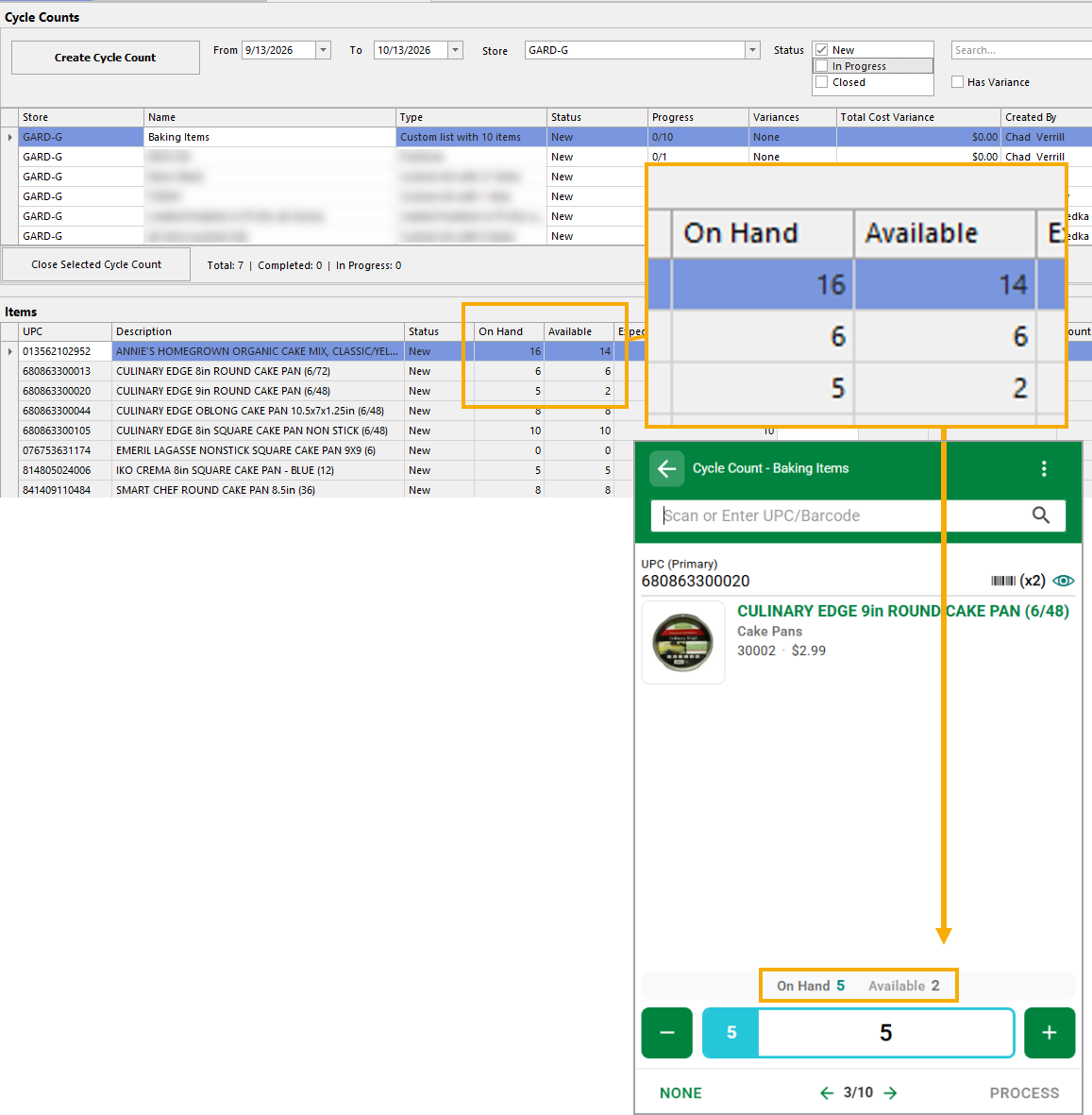
Cycle counts with held inventory: When counts are set to use available quantity, counting an item with units held for special orders could wrongly remove the held units from on hand. Counts now adjust only by the difference found, and mobile, desktop and the printed count sheet all show the same expected number. The desktop interface includes a second column that shows available. Depending on the setting for your location, the count of On Hand or Available will be honored in the same way on FieldStack Mobile and on the Desktop application.
Fixed
Duplicate receives: Reopening a purchase order just after receiving could show it as not yet received, allowing it to be received a second time and inflating on hand. The handheld now always shows the order's current status and warns before an over-receive. Issues that were noted due to the issue have been fixed after alerting affected clients. Any follow-up fixes will be shared before any action is taken.
Fast scanning in Receive: Scanning quickly could duplicate barcodes in the search field or drop units. Scans are now captured reliably at speed, and any "not found" messages appear once at the end of the run instead of interrupting it.
Cycle count lists match: Mobile and desktop now generate the same item list. Items hidden from search are included in both.
Shelf talkers in Item Lookup: Scanning a shelf talker in Item Lookup now finds the item, as it does in other modes.
Inventory adjust from Item Lookup: Adjustments are faster, and the handheld now tells you clearly if an adjustment did not save.
Put away after over-receiving: Put away now uses the live staged quantity, so you are no longer incorrectly told the inventory is not available
Was this article helpful?
That’s Great!
Thank you for your feedback
Sorry! We couldn't be helpful
Thank you for your feedback
Feedback sent
We appreciate your effort and will try to fix the article