Improvements
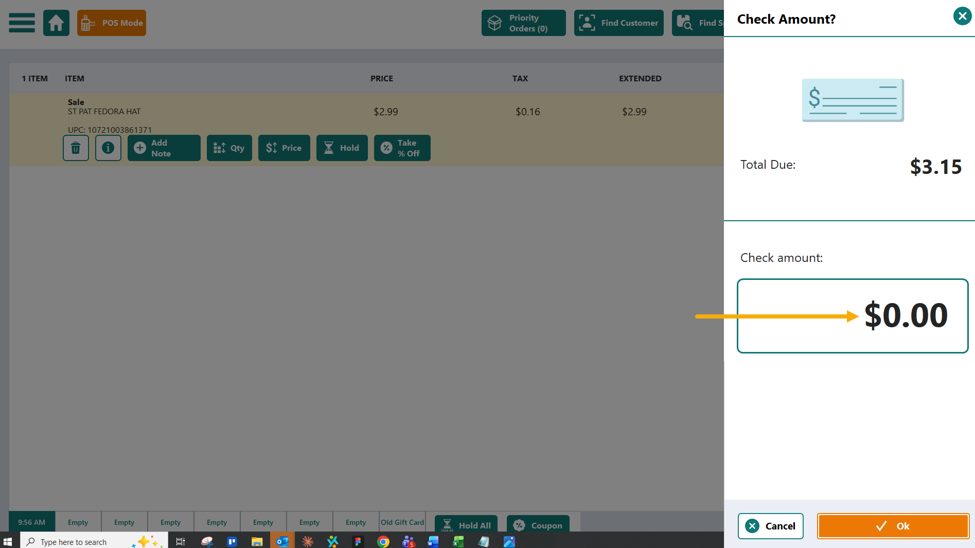
Default Check Tender to $0.00
Action Required
Location Setting: Default Check total due to $0.00
Default = False
To avoid issues where the check button may be tapped and a sale completed in error, we have added a setting to default the check total to $0.00. This will require the clerk to add the total amount to complete the sale. If they simply tap OK, no tender line item will be added to the sale, and they will have to move forward with the correct tender type.
Self Checkout
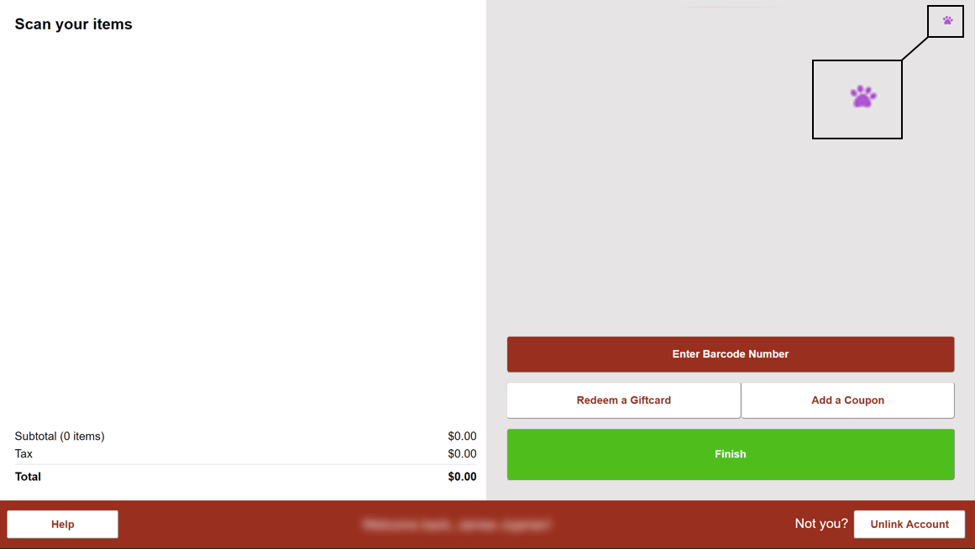
Customer Account Notes indicator has been added to the upper right of the transaction screen.
Bug fixes
Marketplace Mode – Customer Name now shows in Reprint Shipping Labels window.
Marketplace Packing Slips – When printing packing slips to 8.5”x 11” paper, an order containing a quantity above 22 units would split across two sheets even if the items were in quantity and didn’t require 22 lines of space.
Cycle Count – The newly added Refresh button was not anchored to the right of the screen and could overlap other functions if the window size was reduced.
Cycle Count – Printed cycle count lists contained barcodes that would not scan on POS or FS Mobile. These barcodes have been rectified.
Buying Tab > Bin Selector – After selecting a bin on an item in the item list within the buying tab, items with similar vendors and default order bins would ‘stick’ and allow a user to continue buying to the same purchase order. If the type-ahead method was used and the bin selected using [Enter], the bin would not stick and the next item could change to a random bin.
Penny Rounding – When enabled, Gift Cards were treated as cash and previously would round up or down depending on the setting and what was done with the remaining credit after the sale total. Going forward, gift Cards will be excluded from the penny rounding functions.
Penny Rounding – When asked, some clerks scan a Gift Card, then tap Cash to put funds back on the card in order to print a receipt for a customer. The receipt displays the remainder on the card. Using this method would cause the remainder to round when it was placed back onto the card. This method will no longer cause a rounding issue.
Penny rounding – When conducting a split payment sale using cash and credit, the total amount due could be disrupted if the credit card portion was charged first. This would result in the cash being rounded on the remainder. Going forward, any time a payment is added that is less than the total, the penny rounding will be removed from the transaction.
Was this article helpful?
That’s Great!
Thank you for your feedback
Sorry! We couldn't be helpful
Thank you for your feedback
Feedback sent
We appreciate your effort and will try to fix the article