Improvements
Bulk (BUL) item on-hand quantities - display in pounds
Action Required
Company Setting: Show Bulk Item Quantity in Weight
Default: Disabled
With the relevant company setting on, bulk items show their on-hand quantity in pounds (e.g. "56.5 lbs.") instead of the raw 100 units per pound, in FieldStack Mobile, and both POS panels. This does not affect Desktop application item lookups or vendor orders.
Also fixes two related bugs: a bulk inventory adjustment could be wrongly rejected, and could incorrectly log the user out. 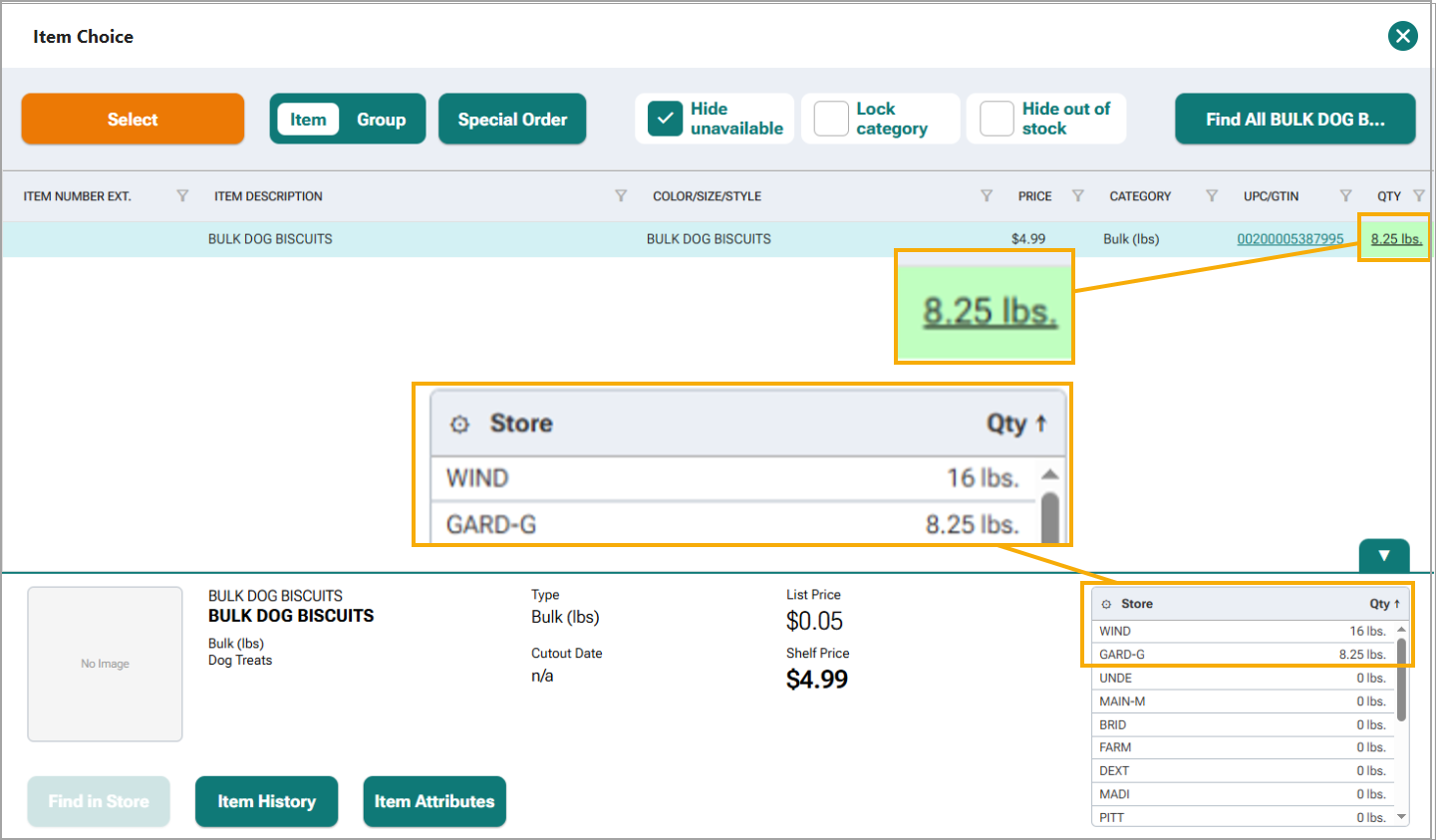
Customer Email - Validation
Action Required
Company Setting: Require Valid Customer Email
Default: Disabled
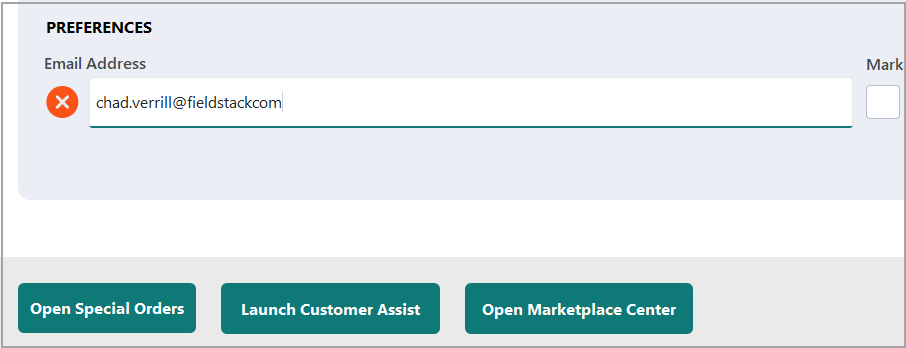
With the company setting on, saving a customer record is refused when a new entry in the email box fails validation — a blank email or an unchanged stored email still saves. Now enforced consistently in both legacy POS and New POS (it previously only warned).
Customer Email - Enforce Unique
Action Required
Company Setting: Enforce Unique Customer Email at POS
Default: Disabled
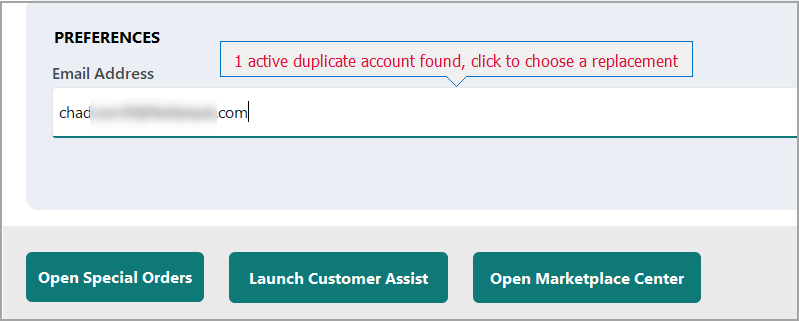
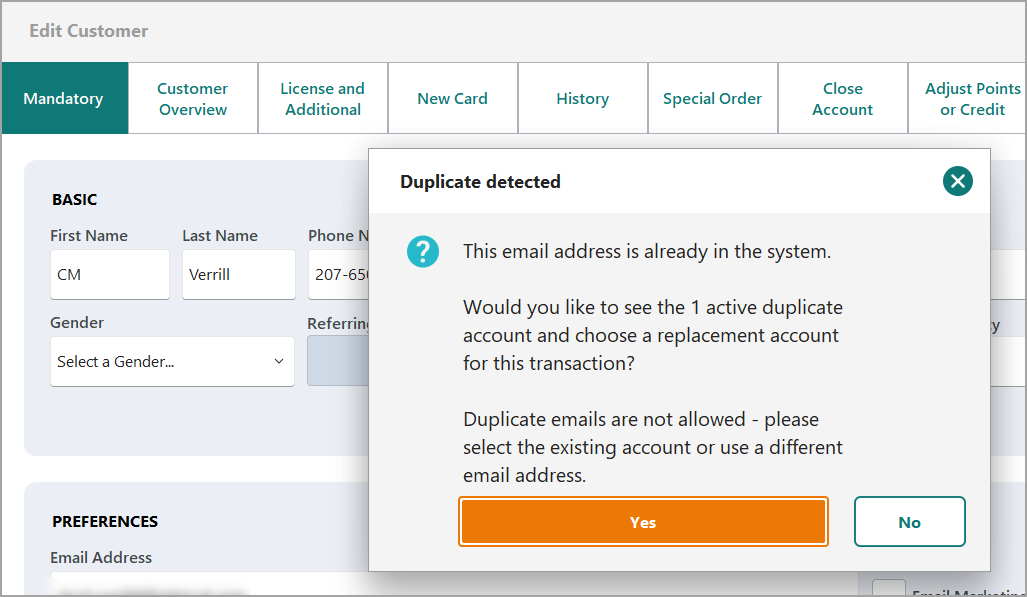
With the setting on, saving a new customer whose email is already on another account is blocked (a dialog still offers to open the existing account instead) rather than just warn-and-allow. No change to duplicate-phone handling.
Pre-save warning:
Save warning:
Customer Edit Form - Load Speed
Loading a customer's SMS marketing settings was blocking the entire form from appearing until two sequential network calls finished — measured at over 10 seconds on a slow connection. Those lookups now run in the background, so the form appears in well under half a second; the SMS-related fields simply stay disabled until their data arrives.
Customer Overview tab - Load Speed
Fixed a query that could return many duplicate rows, which would slow the loading speed.
Search Invoices - Loading Message
In Search Invoices, the system would previously show "No Records to Display" while it was loading the data. While results are still loading, the screen no longer briefly claims there are no matching transactions.
Resiliency Mode - Timed Retry
Action Required
Location Setting: Back Off Reconnect Attempts in Resiliency Mode
Default: Disabled
With the setting on, a register that loses its connection waits progressively longer between reconnect attempts (1 minute up to 64) instead of retrying every 60 seconds, and shows "Offline — tap to retry" with a live countdown. Why this is helpful. When a known internet issue is causing spotty or fluttering connection, the POS may attempt to initiate Credit Card payment processes causing stalling to sales that need to be conducted offline or via a wireless connection. This timed retry assumes the internet may not be accessed for a period of time and attempts reconnect each time with a greater wait perio.
At any time, a user can click the Offline message to retry connection if their administrator alerts them that the internet is fully restored.
Offline message updates a retry countdown every 15 seconds. The system tries to connect exponentially at the 1,2,4,8,16, 32, and 64 minute marks.

Tapping the offline message will attempt a reconnect out of sequence and display status information.


Purchase Order Editing
A clearer message has been included when a purchase order line can't be edited directly. Trying to change the quantity on an item already on an open PO now explains to remove and re-add the line, instead of a message that implied you could edit it directly. Also straightens out inconsistent Cancel/action button ordering on the Item Search and Quick Access dialogs.
Payments
Branded credit-card icon now shows correctly for cached customers
When an internally branded Credit Card exists on an account, the icon now also appears in New POS for a customer already added to the transaction, without needing to remove and re-add them.
Charge-integrity: clerk-pressed Cancel no longer risks capturing the charge anyway
Pressing Cancel on an in-flight card charge could, in a specific timing window, still capture the charge instead of voiding it — the payment terminal can approve a charge after Cancel is pressed but before our system gives up on it. Cancel now immediately marks the attempt as void-only and reliably voids it in the background.
Was this article helpful?
That’s Great!
Thank you for your feedback
Sorry! We couldn't be helpful
Thank you for your feedback
Feedback sent
We appreciate your effort and will try to fix the article