Advanced Customer Merge
A new screen has been added to allow for "Advanced" Customer Merge functionality.
It performs the same in-store merge function as from within the POS Customer Merge, but with the added benefit of providing the user with more detailed information about the two accounts, and also includes allowing for the merging of two web-enabled accounts from within the application.
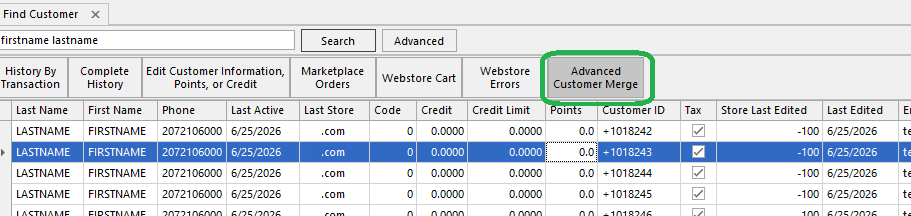
It can be accessed through the Advanced Customer Merge button found on the Find Customer screen, after searching for and selecting a customer:
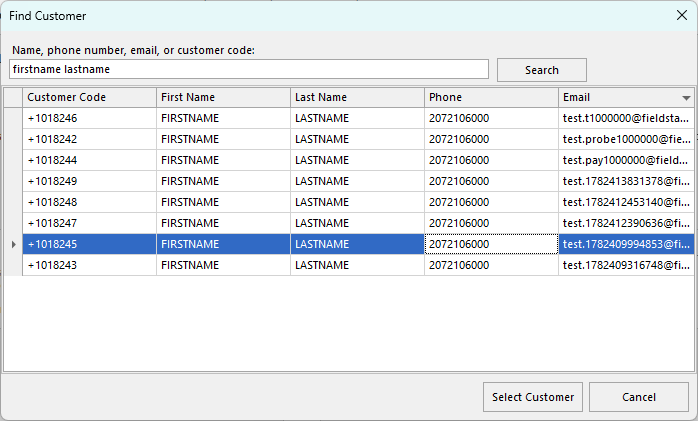
The form pre-loads with the selected customer on the left, and a Find Customer button on the right which brings up another customer search dialog:
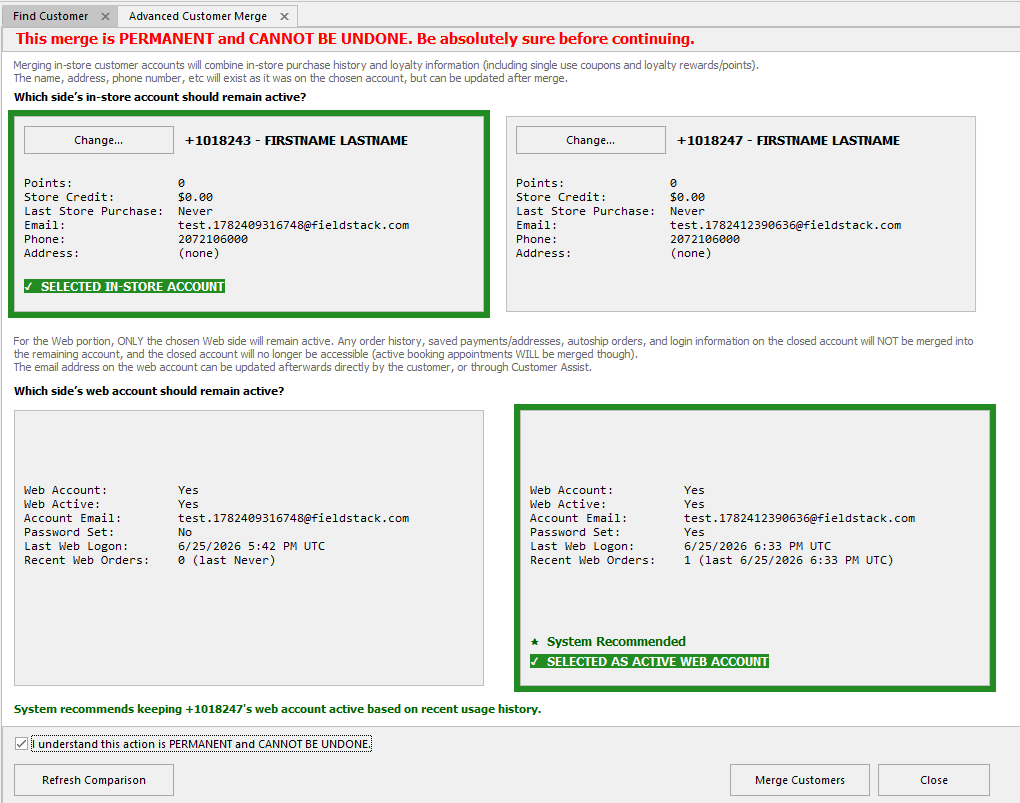
Selecting the second customer account populates the form with the corresponding details to compare and choose which account to remain the "primary" after the merge.
It will default to the first account as the primary selected "in-store" side, and will merge all prior in-store purchase history, and combine points/credit/loyalty programs.
For the web enabled portion of the account data, the system will try to determine the most appropriate web-enabled account to keep open for web store login based on all available information such as password set and last login, recent webstore purchase, pending booking appointments, etc. The user can leave as the default or choose the other, as preferred:
finally, checking the confirmation checkbox and clicking Merge Customers will prompt a dialog window: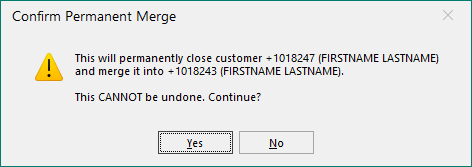 which will then complete the merge and close the form.
Notes and additional information
The form calls out several warnings and notices as to what can and cannot be merged, and please note again to be absolutely sure before merging web accounts.
In the case of two web-enabled accounts being merged, the following data points are brought over from the account being closed and merged into the selected account:
- in-store purchase history
- store credit, points
- loyalty programs (Astro tbd, pending future update)
- customer notes
- single-use coupons assigned to the customer
- booking appointments
Everything on the Selected active webstore account will remain as it was previously, so they will maintain same login and password, order history, etc.
Conversely, the following points will NOT be brought over from the closing web account:
- webstore email and password
- order history including pending orders
- saved payments
- saved addresses
- autoship orders
If the customer wishes to merge web accounts while also keeping a specific email address as their login, the best practice is to keep active the web account with the most activity (as chosen by the system) as it will retain more pertinent/recent information, and then update the email address after the merge.
This can only be done through the Profile/Customer Information section of their Account page when logged in to the site, either through Customer Assist, or sending the customer a password reset and having them change it themselves.
Was this article helpful?
That’s Great!
Thank you for your feedback
Sorry! We couldn't be helpful
Thank you for your feedback
Feedback sent
We appreciate your effort and will try to fix the article