POS and Application Improvements
Quick Access Menu (QAM) on self-checkout/customer-facing checkout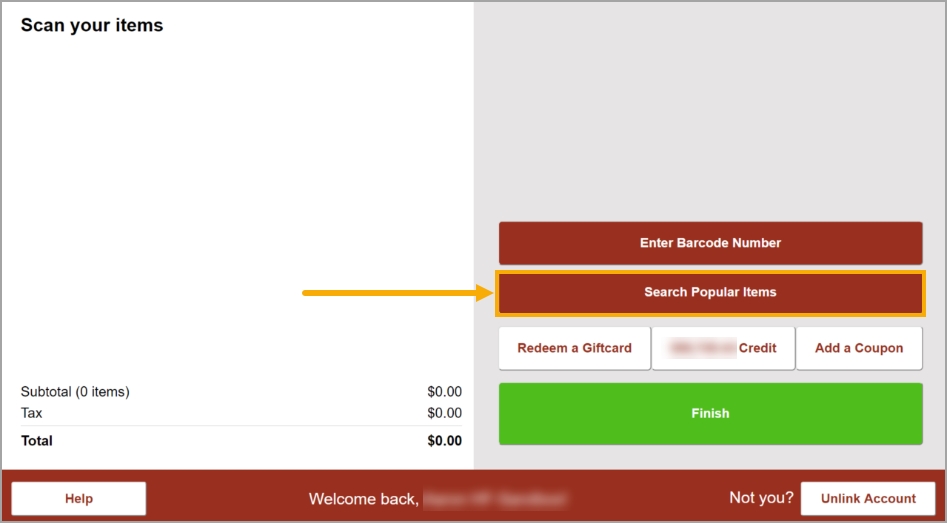
Action Required
Company setting: Enable Quick Access Menu
Location setting: Show Quick Access Menu On Self Checkout
When both settings are enabled, self-checkout displays a "Search Popular Items" button that opens the store's Quick Access menu, so customers can ring up items that have no barcode. 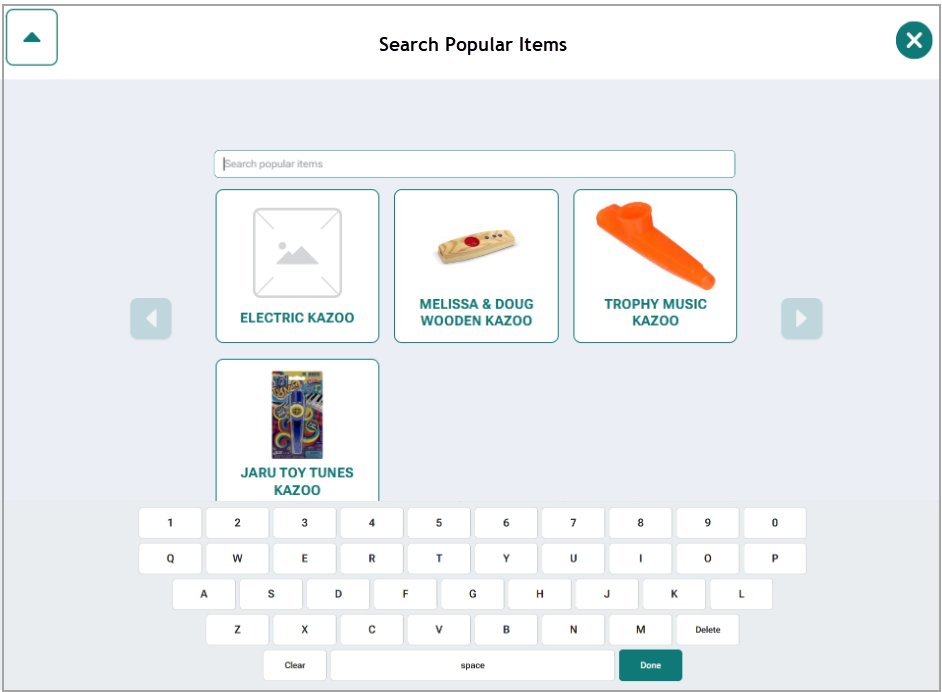
An on-screen keyboard allows customers to search by keyword instead of navigating if the menu tree is dense. The search is limited to the store's active QAM item list, scanning closes the menu and processes the scan, and an idle timeout will close the menu if a customer or clerk abandons the sale.
If a customer searches and selects a visible Tip item, "Please see a clerk to add this item" will be displayed on screen.
Email tile in the New POS overflow menu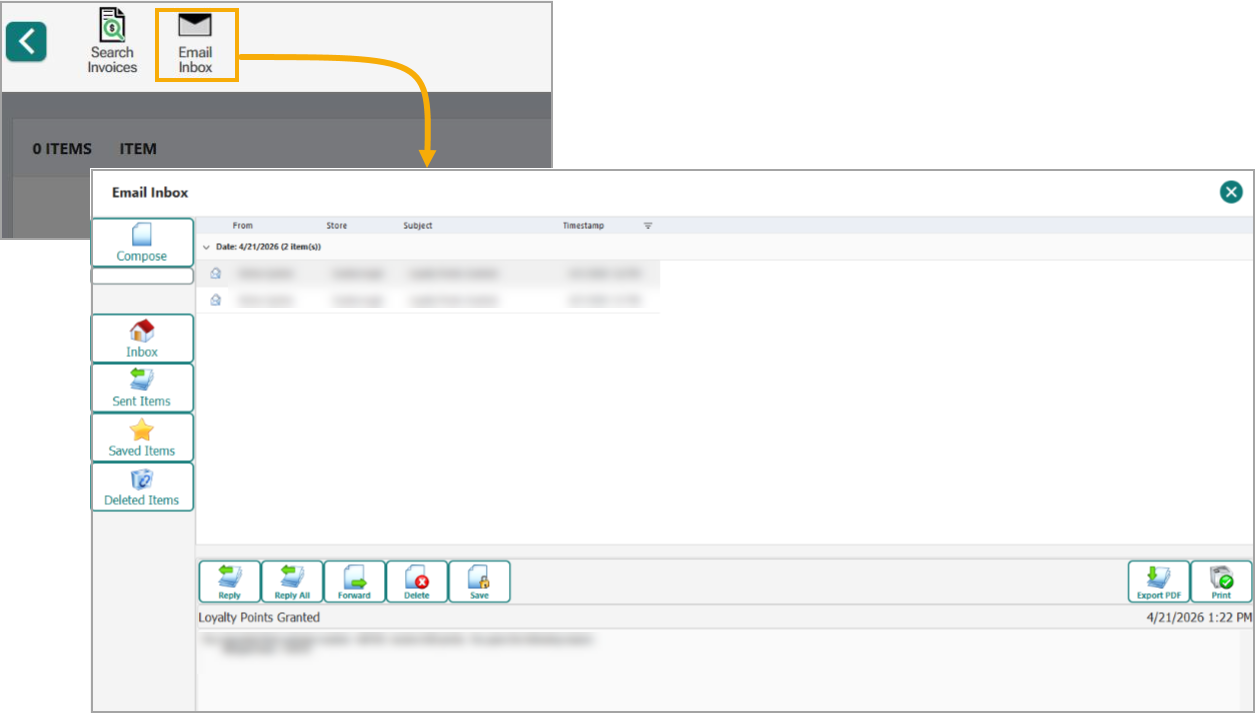
For clients using the internal email system, an Inbox tile next to Search Invoices has been added to the overflow (hambruger) menu on New POS. This is a backend setting and will be enabled by FieldStack when you update to version .1009.
PetStack layout for the Blazor Item Choice form
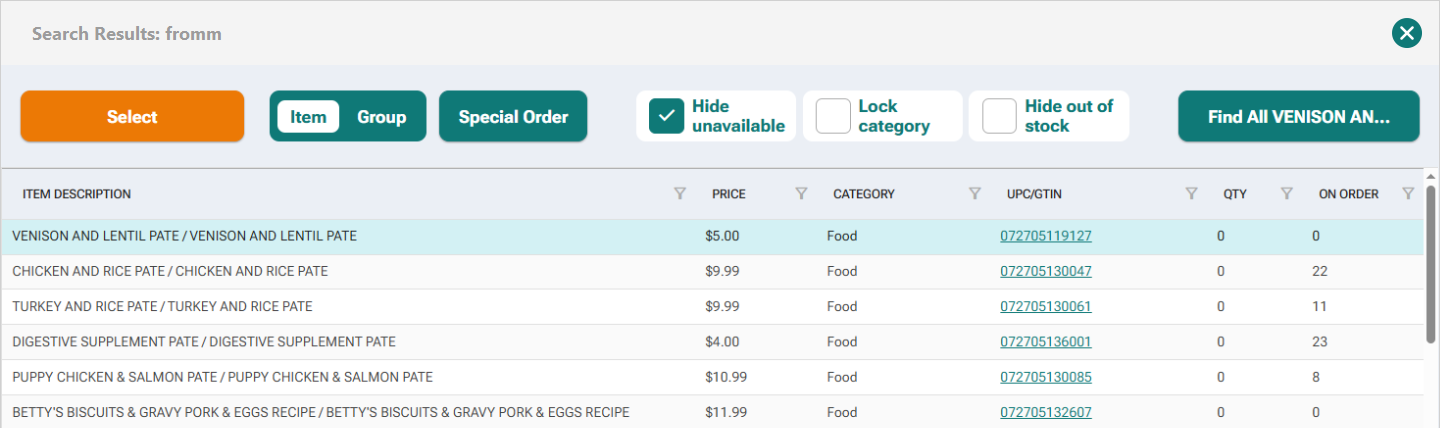
On PetStack Plus and PetStack Lite editions, the item choice grid drops the Start Sell and Booking columns and narrows Price, QTY and On Order columns.
Receiving bulk weight items prints one shelf label per line
A bulk weight item's receive quantity is measured in hundredths of a pound, and the label loop ran once per unit, so taking in about 65 lb of biscuits queued 6,474 shelf labels from one line. A bulk receive now gets a single label. Relabelling still prints the number of tags the clerk asked for, and non-bulk items are unchanged.
Pre-Owned condition in Cycle Count
Desktop cycle counts new have both new and pre-owned columns when item condition is active in your application. Counts created with pre-owned counting are hidden on FS mobile, as it does not currently handle pre-owned items.
Store Group Editor refresh
Adding a new store group now refreshes the selected store list panel instead of leaving the old selection on screen.
Invoice Management: Last Received Date
A new final column has been added which shows the latest receive against the invoice's Purchase Order. If an item has not been received at all, no date will be displayed.
Payments
Apple Pay
- Apple Pay can now request a billing address at checkout when the customer’s wallet doesn’t supply one. This is a new optional setting.
- Improved reliability of Apple Pay charge processing for web orders.
Branded Credit cards
- Branded credit card transactions now link directly to their originating transaction or order, improving reporting accuracy.
Marketplace & Shipping
- Fixed an issue where a few cents of sales tax could be counted twice at scan-out on substituted items that had an in-store price match.
- Marketplace orders with items that go in and out of stock no longer trigger repeated refunds and recharges. Items short on inventory can now be special ordered instead of getting stuck.
- DoorDash sales and certain web sales now count toward item ratings.
- Multiple orders can now be combined into a single batch when sent to a delivery provider (available for select delivery integrations).
Was this article helpful?
That’s Great!
Thank you for your feedback
Sorry! We couldn't be helpful
Thank you for your feedback
Feedback sent
We appreciate your effort and will try to fix the article