FieldStack handles items sold by weight in decimals, not ounces, so your scales need to be configure to display in tenths/hundredths of a pounds. If you have items that are sold by weight there are some special product setup steps.
TABLE OF CONTENTS
Item Setup
- List Price - The Price for 1/100th of a pound
- Cost Price - The cost for 1/100th of a pound
- Force Price - The Price per pound
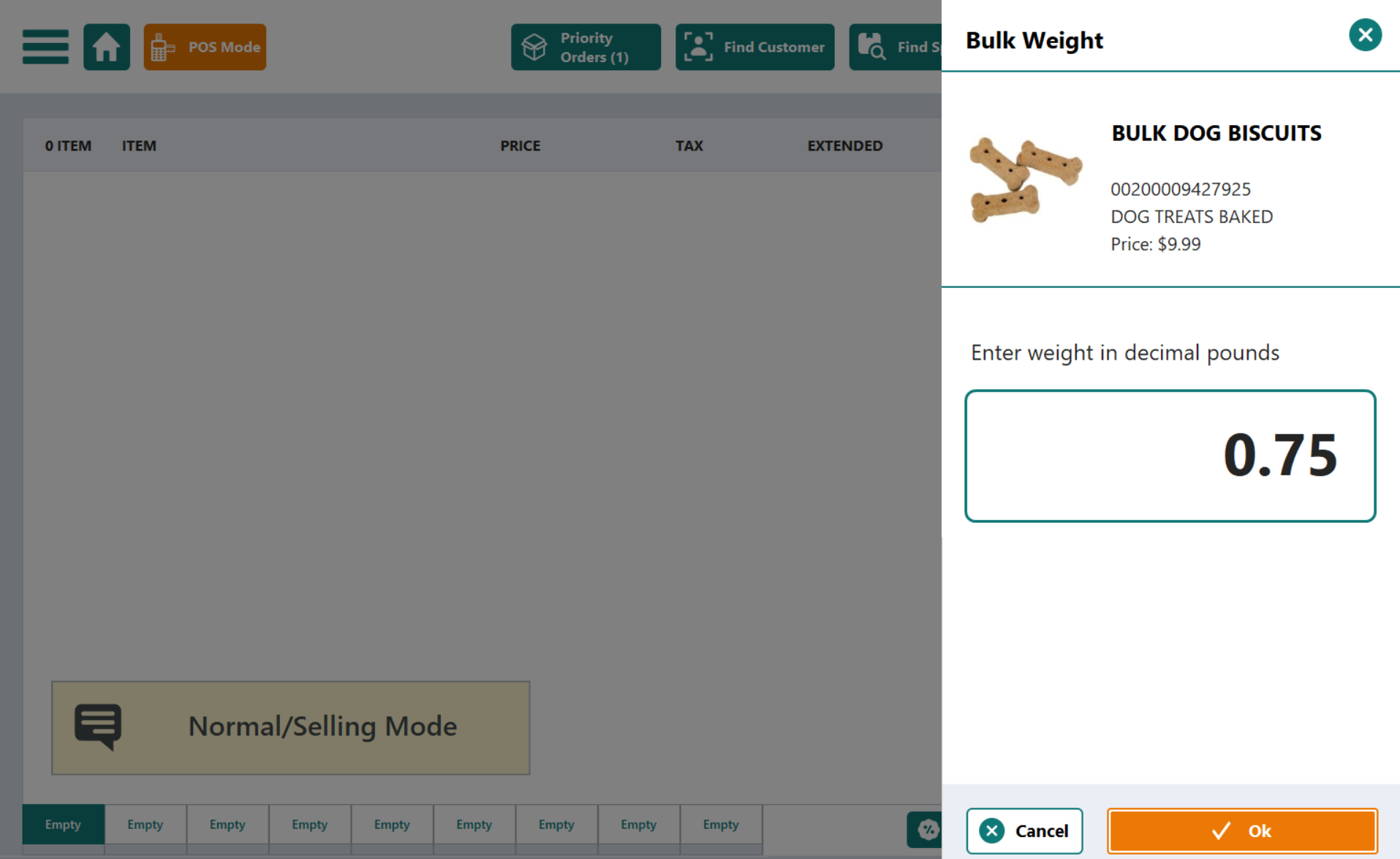
- Extended Category - Bulk (lbs), this prompts the POS screen to pop up the weight entry.
Item Edit Screen:
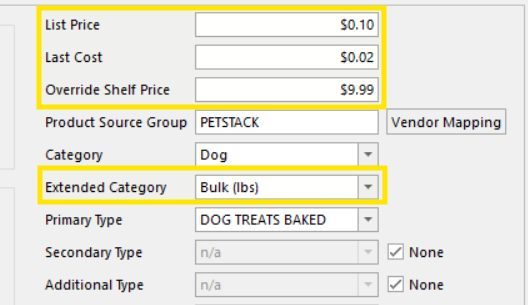
Note: the item edit screen can not support fractional cents. These item should only be edited via the Bulk Editor or by a FieldStack Support.
Bulk Edit Screen showing all three price fields with fractional cents:

Double check your setup with these formulas:
- Override Shelf Price = List Price × 100
- List Price = price per lb ÷ 100
- Cost Price = cost per lb ÷ 100
Example Setup
Bulk Dog Biscuits sell for $9.99/lb and cost $2.00/lb.
Enter:
| Field | Value | How it's Derived |
| List Price | 0.0999 | 9.99 ÷ 100 |
| Cost Price (Last Cost for some clients) | 0.0200 | 2.00 ÷ 100 |
| Override Shelf Price | 9.99 | the price per pound |
| Extended Category | Bulk (lbs) | required - triggers the weight prompt |
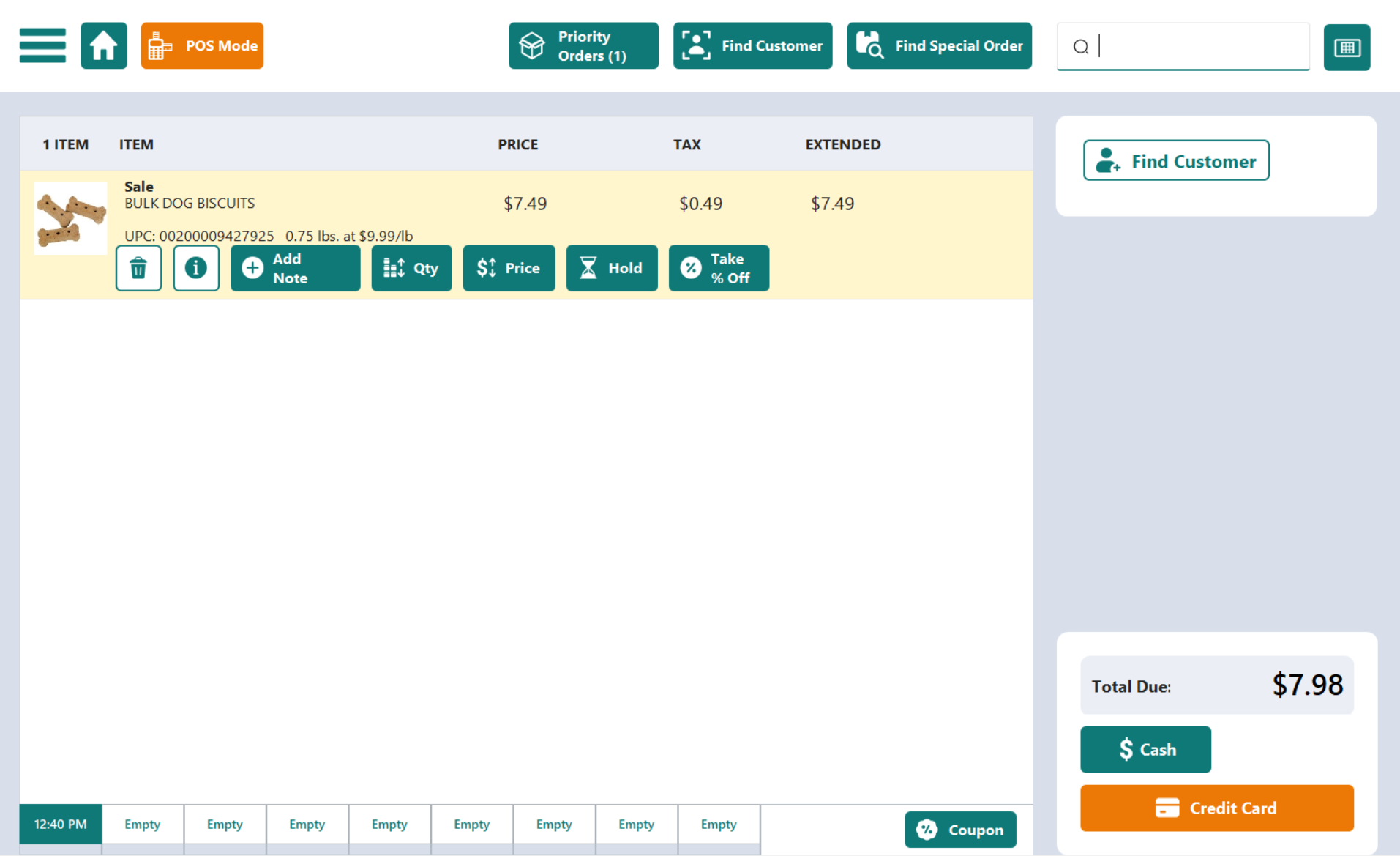
At the register the clerk enters the weight in pounds (e.g. 0.75lbs), and the system charges 0.75 × $9.99 = $7.49.
Pricing Per Oz
Bulk items are priced by the pound in FieldStack, not the ounce. If you have a per-ounce price, multiply by 16 to get the per-pound price first, then fill in the fields. Entering the per-ounce figure directly makes the item ring up at roughly 1/16 of the intended price.
Example: a treat at $1.59/oz is $25.44/lb ($1.59 × 16). Use $25.44 as the per-pound price, not $1.59.
At the POS Screen
Clerks will be prompted to enter an item weight when these Bulk (lbs) items are sold:
Once the weight is confirmed:
Inventory/ Quantity on Hand
Because bulk items are sold by weight, their on-hand quantity is not counted in "each", it's counted in hundredths of a pound (1/100 lb), the same unit the price fields use. One pound = 100 units.
- Receiving: Enter the quantity as pounds × 100.
- Receiving 15 lb of product = 1,500 units, not 15.
- Selling: Each weight sale reduces on-hand by the weight sold, in 1/100 lb.
- A 0.75 lb sale removes 75 units from on-hand.
- Physical counts: Weigh the product and multiply by 100 before entering.
- 3.5 lb on the shelf = 350 units.
Was this article helpful?
That’s Great!
Thank you for your feedback
Sorry! We couldn't be helpful
Thank you for your feedback
Feedback sent
We appreciate your effort and will try to fix the article