CYCLE COUNT FEATURE
Action Required
Company Setting: Enable Cycle Count feature in FS Application?
Location Setting: Cycle Count Management Read-Only Mode
Allow store managers to review Cycle Counts in the desktop interface, but do not allow them to be generated, counted, or closed on the interface.
Location Setting: Show Cycle Count on FSM?
Default of all settings = False
Cycle Count Mode for FieldStack Mobile
1. Cycle Counts generated on FieldStack Mobile or the desktop interface will show with a numbered “barker” on the FieldStack Mobile home screen.
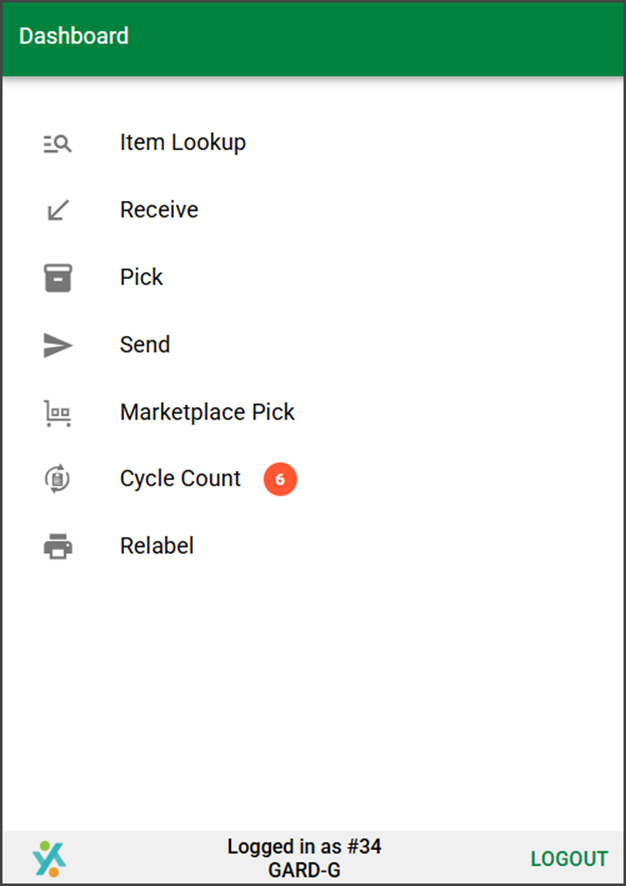
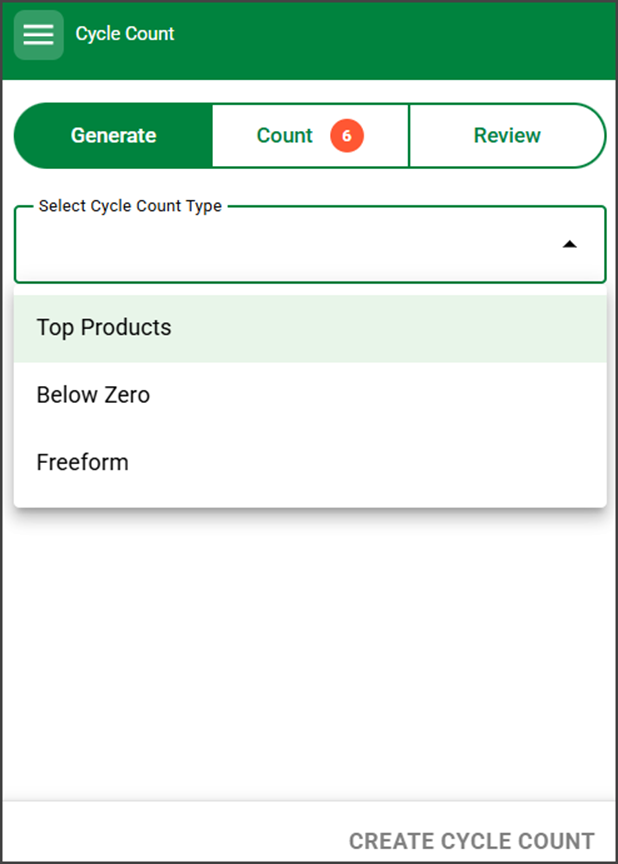
2. Tap into Cycle Count to generate a new list from default queries or scan items without a list using the Freeform selection.
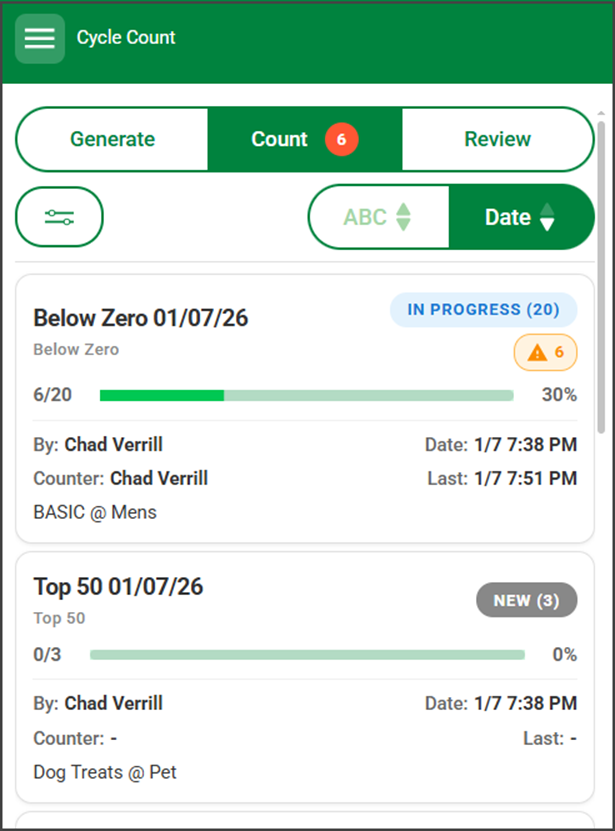
3. Tap Count to access previously generated or started Cycle Counts.
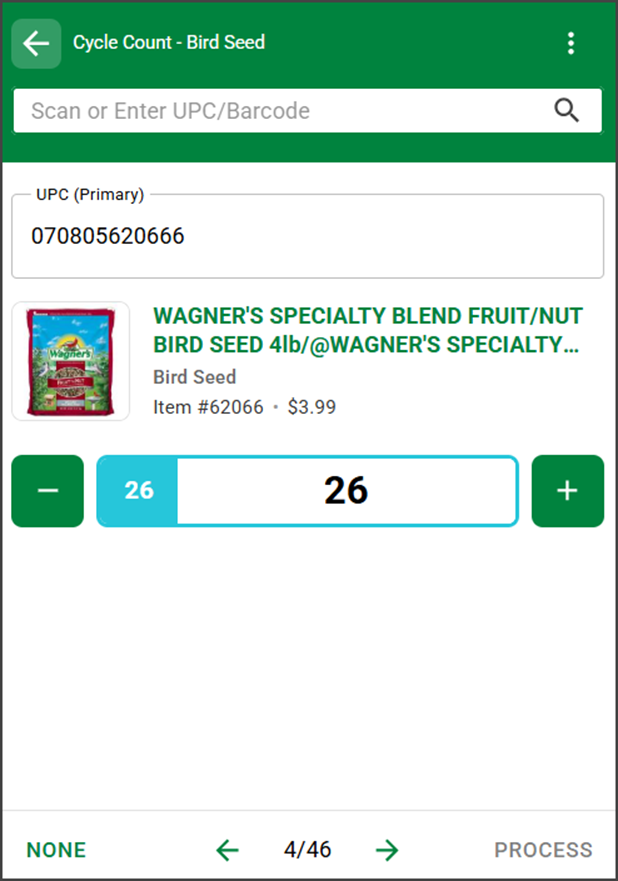
4. Select a Cycle Count to view the product list. Locate and scan each item to verify or update its quantity on hand.
5. Access the Review tab to view and audit Closed Cycle Counts.
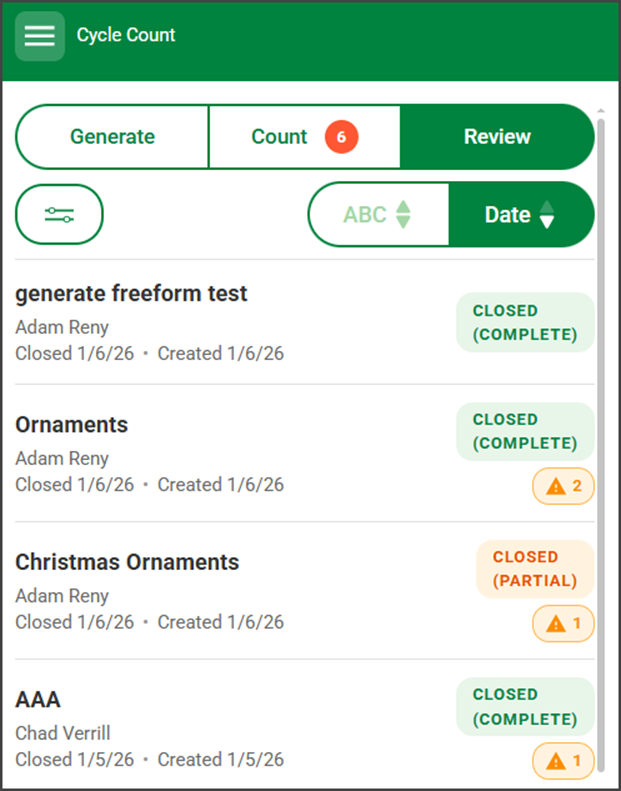
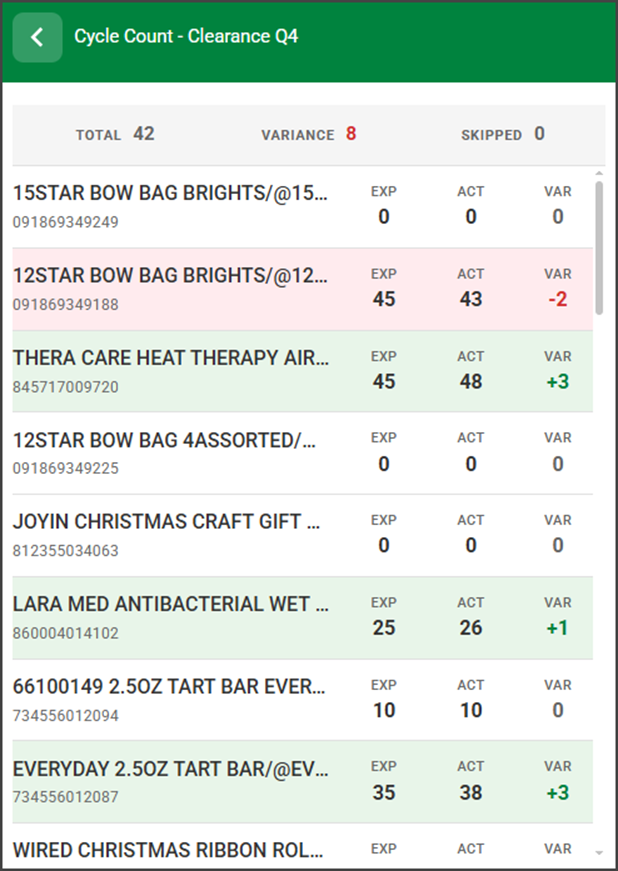
6. Select any closed Cycle Count to view the item list and variances.
More default lists and more features will be added in the future.
If you would like custom queries within the Generate drop-down or would like to investigate time-based Cycle Counts that automatically push to locations based on specified criteria, please contact your account manager.
OTHER CHANGES
PICK MODE: BLOCK OVERPICK
Action Required
Location Setting: Block Overpick in all Pick Modes
Default = False
If set to true, a user cannot pick more of a single item than is requested in the Pick Mode screen.
RECEIVE IN STORES: BATCH LIST
Bug Fix: In batch receive mode, if the same SKU was scanned 3 times a row, the cursor would not remain in focus in the search/scan field.
Improvement: After editing the quantity on an item line and tapping enter/return*, the cursor would not return to the search/scan field.
*Depending on the device in use, not all on screen keyboards have a “return” key.
CUSTOMER NOTES INDICATOR DURING MARKETPLACE PICK
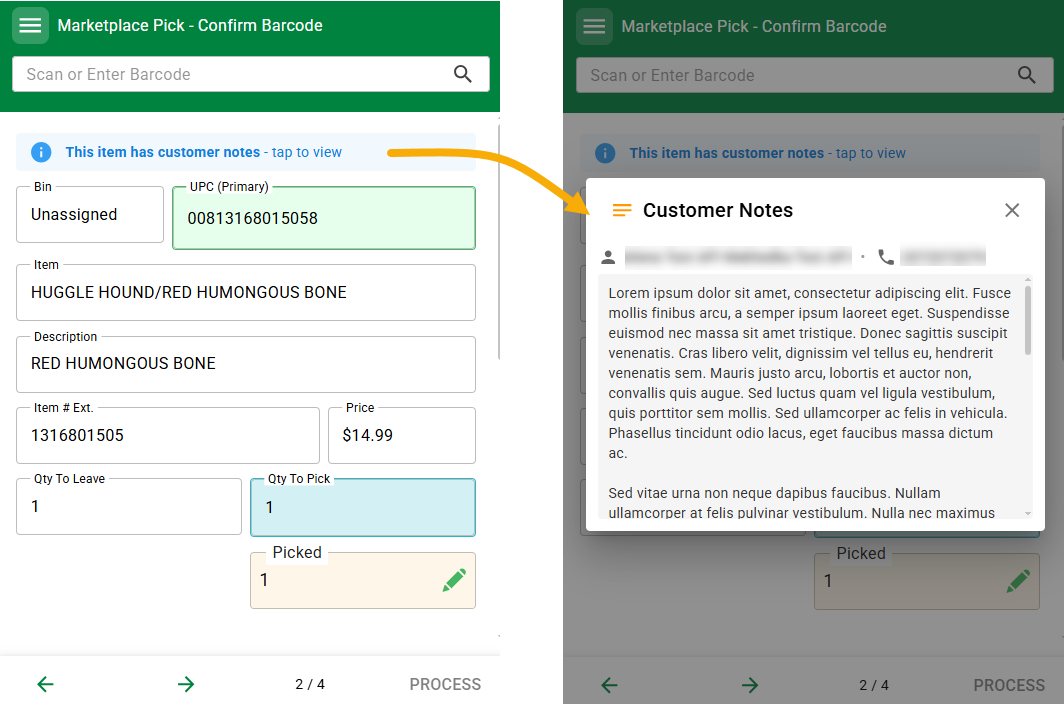
On Marketplace Pick mode, when picking an item for a customer who has notes on their customer account, an indicator at the top of the screen will show that the account has notes. Tap on it to read the notes. This is helpful if a customer service agent has added something to the account about desired item condition, packaging, or local delivery information.
HEADER BAR & CLOSE ICON
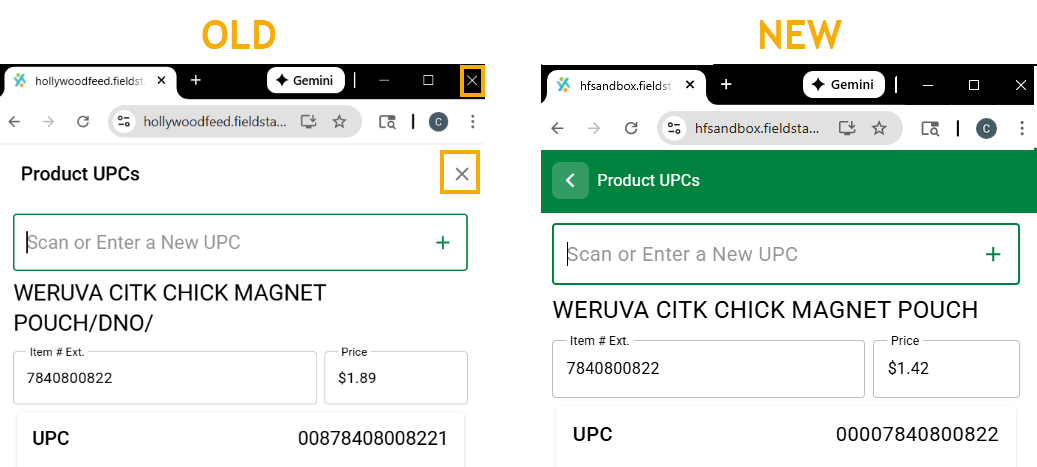
On some device browsers, the X to close a FieldStack layer rendered almost the same that X to close the browser window. Internal Interface layers have a more distinct green header and back icon to differentiate them from the browser.
BUG FIXES
- After updating the inventory on an item via Item Lookup (if available) the Quantity on hand could temporarily render as the original quantity, leading some users to update the inventory again. This was a caching concern and has been rectified.
- When batch receiving items in a store location, scanning the same SKU three times in a row would cause the UPC Scan field to lose focus.
Was this article helpful?
That’s Great!
Thank you for your feedback
Sorry! We couldn't be helpful
Thank you for your feedback
Feedback sent
We appreciate your effort and will try to fix the article