Returns, voids and lost connections work the way they do today. This article explains what the register shows in each case and what happens to the customer's Astro credit.
TABLE OF CONTENTS
Returning an Item
Process the return as usual, with the customer attached. FieldStack takes the credit for the returned item off the customer's Astro card after the return completes.
A Loyalty Program notice may appear. It is for information only; the return still goes through. It means one of:
- The item came from a card that has already been redeemed. Astro keeps that card as redeemed.
- Astro has no record of some of the units being returned. Only the units it has on record are reversed.
A refund of a free item or an offer discount refunds the coupon amount like any coupon. The Astro redemption itself is not reversed; contact Astro Support if it needs to be.
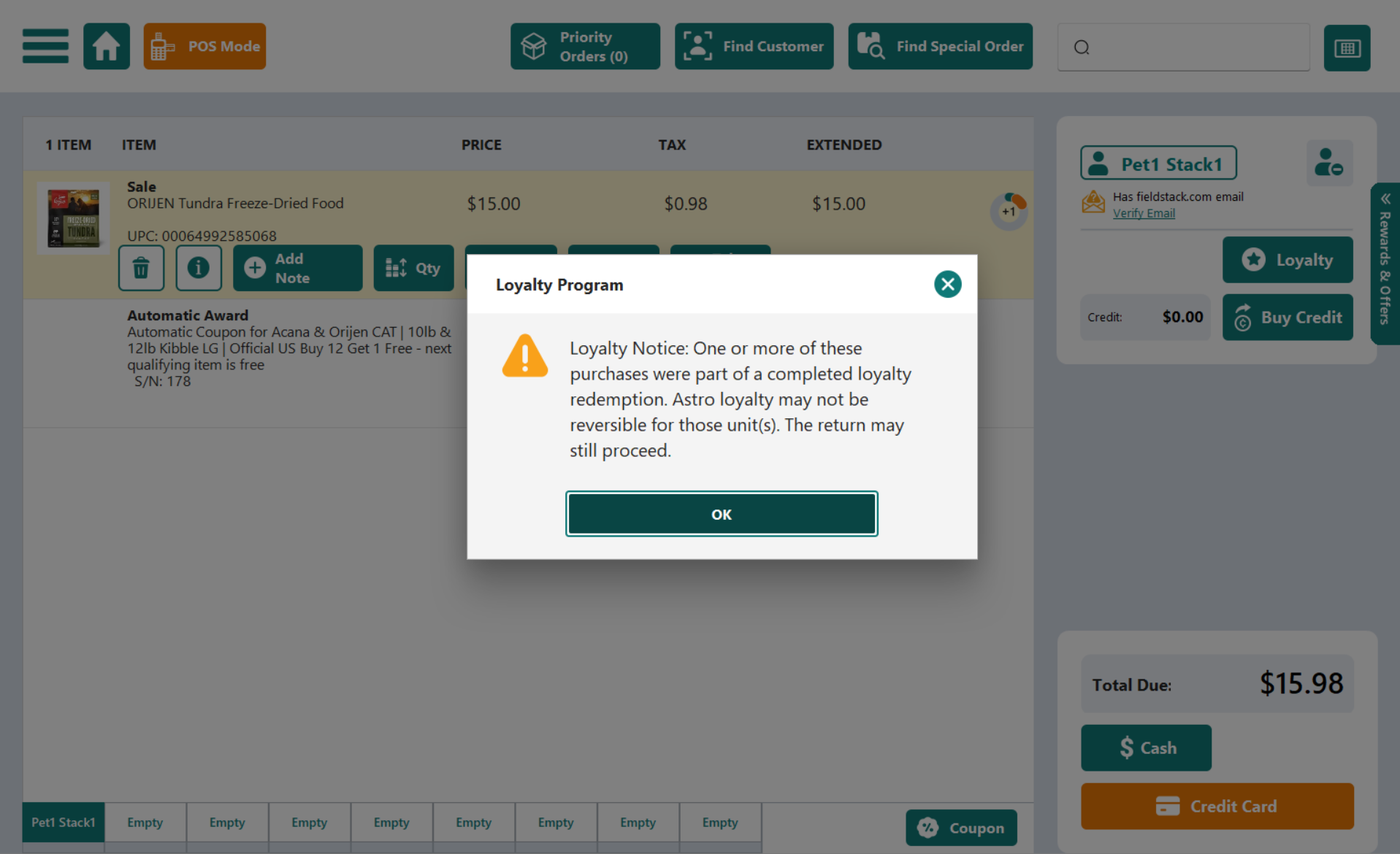
Example: the Loyalty Program notice on a return
Voiding a Sale
A voided sale is not reversed in Astro. If the sale had already posted (credit, a free item or an offer), contact FieldStack Support with the receipt number so the customer's card can be corrected.
Removing a Reward Before Payment
Delete the Astro Loyalty Program or Astro Loyalty Offers coupon line. The item returns to full price and nothing is sent to Astro. Changing or removing the customer on the sale also removes the Astro coupon lines.
When Astro Cannot Be Reached
There is no warning. The signs are that the Astro parts of the sale do not appear: no loyalty icons, no Rewards & Offers tab, no Apply button. Everything else works as normal.
| Still works | Waits for the connection |
|---|---|
| Sales, payment, returns, attaching customers. | Enrolling a new customer. Attach them again once connected. |
| Rewards and offers already applied on the sale keep their discount. | Applying a new reward or offer. The customer can redeem on their next visit. |
| Purchases, rewards and offers are saved and sent to Astro automatically once the connection is back. Nothing to re-enter. | Seeing icons again. Attach the customer again after the connection returns. |
Note: Missing icons do not always mean Astro is down. Check that the customer is attached and Enrolled before assuming a connection problem.
If a customer's credit has not appeared in Astro a few minutes after the connection returned, contact FieldStack Support with the store, register, time and customer name.
Was this article helpful?
That’s Great!
Thank you for your feedback
Sorry! We couldn't be helpful
Thank you for your feedback
Feedback sent
We appreciate your effort and will try to fix the article